
뒤로
How to block games and set time limits
Last updated :
Here is how to block games.
1. Block All Games
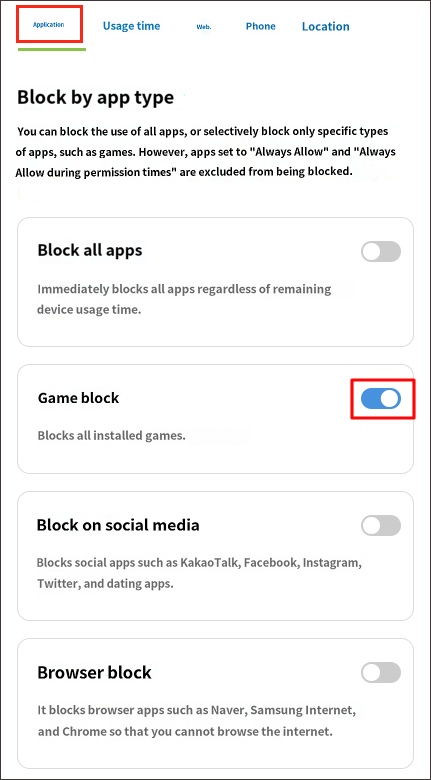
This feature blocks all game apps installed on the device at once. Use this when you want to completely restrict game usage. Games installed in the future will also be blocked automatically.
Child's Rule Settings → Apps Tab → Block by App Category → Block Games → On
2. Block Games During Specific Time Slots
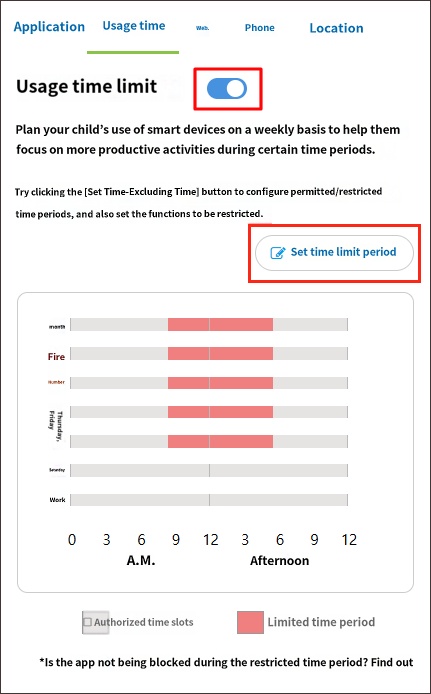
Blocks games only during specific time slots. This is useful for restricting game usage at certain times, such as at night.
STEP 1. Usage Time Tab → Usage Time Limit → On → Select "Set Time Limit" button
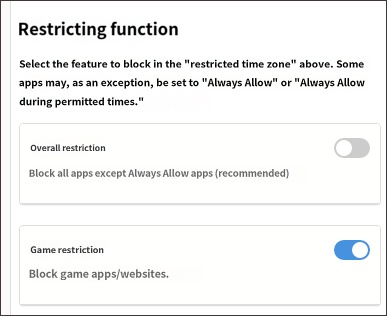
STEP 2. Usage Time Tab → Restrict Features → Game Restriction or Full Restriction → On
STEP 2. Usage Time Tab → Restrict Features → Game Restriction or Full Restriction → On
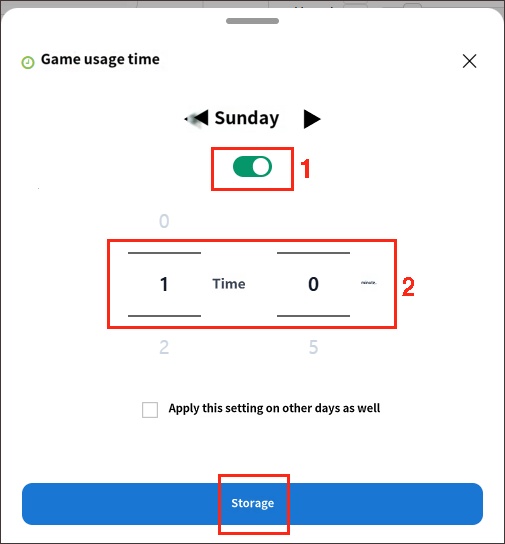
3. Set Daily Game Usage Time
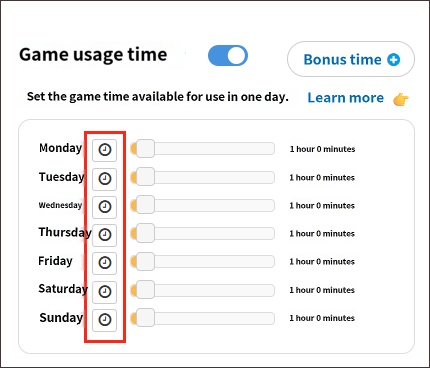
Set a limit on how long games can be played each day. Once the set time is exhausted, games will be blocked.
Child's Rule Settings → Usage Time Tab → Game Usage Time → Set Time
4. Block Specific Games
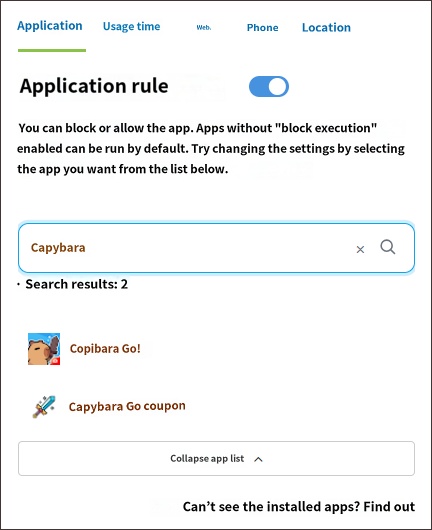
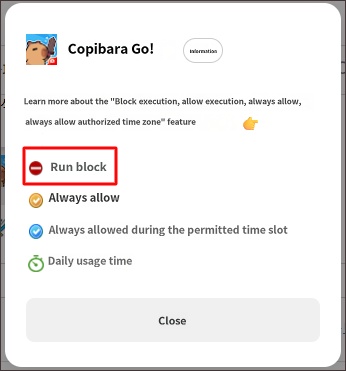
Use this if you want to allow general game usage but block the execution of specific games. If you need to set up age-appropriate game download restrictions, please refer here.
Child's Rule Settings → Apps → Search for the app to block → Block Execution
5. Grant Game Time Only When Needed
► Related Topics
- How to restrict age ratings for Play Store app downloads

