
뒤로
Factory Reset Protection
Last updated :
A factory reset is similar to formatting a PC; it deletes all apps installed on the device and restores it to its original factory-shipped state.
Because a factory reset occurs before the device finishes booting, it could not be blocked by existing anti-tampering settings. However, starting with Mobile Fence v2.6, this blocking feature is now available for Samsung and LG devices. The setup instructions are as follows.
How to Enable Factory Reset Protection
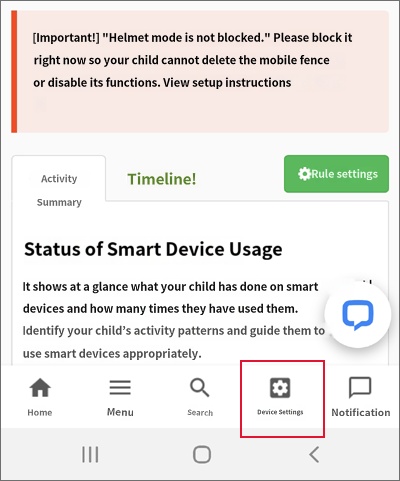
1) Launch the Mobile Fence app on the child's device → Click the Parent Mode button → Log in
2) Device Settings → MDM Agent → Click 'Turn On'
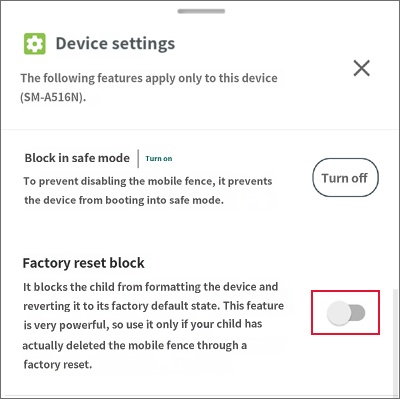
3) Factory Reset Protection → Turn On
2) Device Settings → MDM Agent → Click 'Turn On'
3) Factory Reset Protection → Turn On
1) Launch the Mobile Fence app on the child's device → Click the Parent Mode button → Log in
2) Device Function Settings → MDM Agent → On
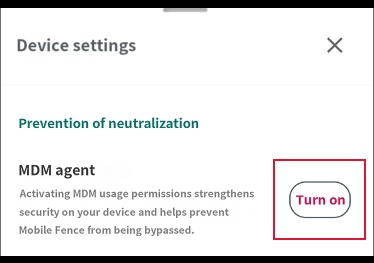
3) Factory Reset Protection → On
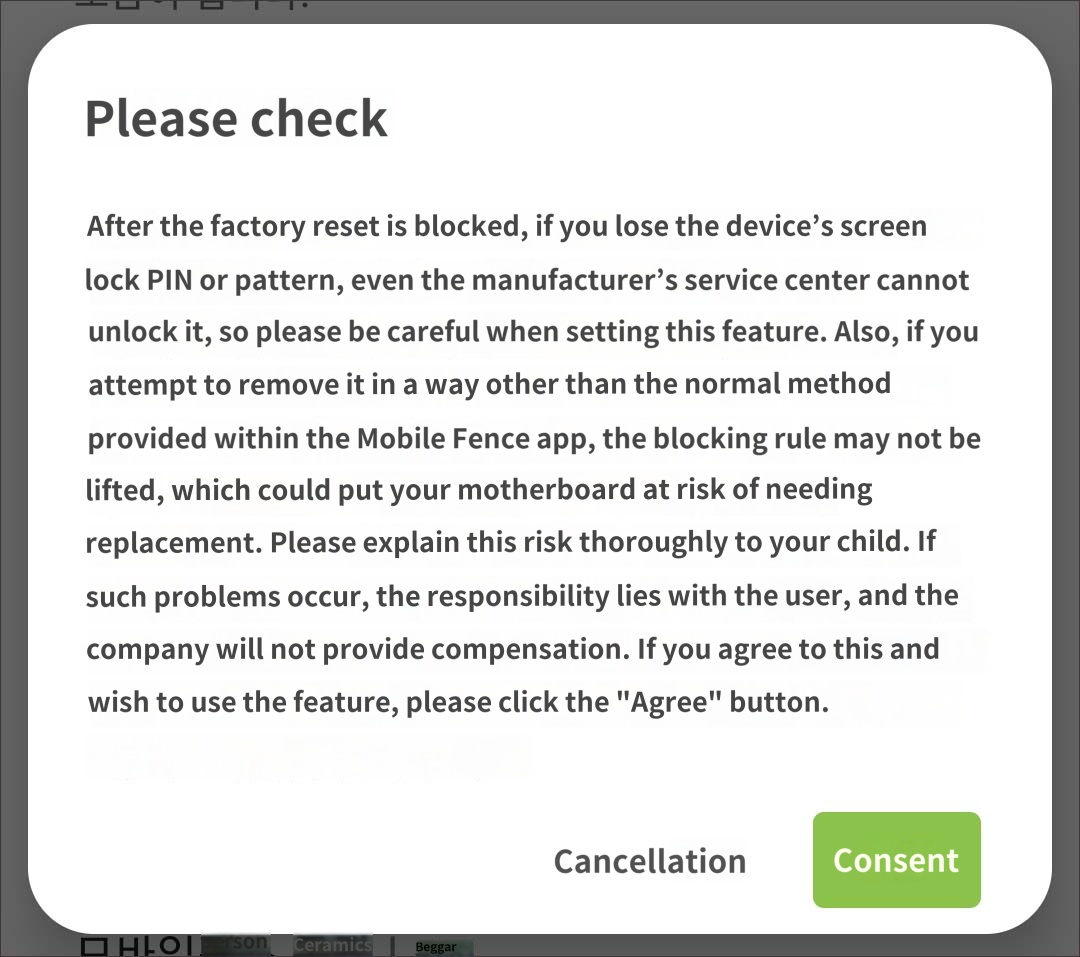
This feature is very powerful. If you lose the device password (PIN/pattern) while this is enabled, even a manufacturer's service center will be unable to unlock the device. In such cases, the device's motherboard will need to be replaced. It is not too late to enable this setting after you are aware that your child is trying to bypass Mobile Fence through a factory reset, so please exercise caution before enabling it.

