
뒤로
Rules are not syncing to the device in real time.
Last updated :
By default, changed rules are reflected on the device in real-time. However, if the device is not connected to the internet or is in an unstable state and fails to receive the changed rules, you can manually apply the latest rules to the device.
Check the internet (data/Wi-Fi) connection status of your child's device and proceed with "Sync." The latest rules will be applied to the device immediately, and app usage history while offline will be sent to the server and updated on your child's activity timeline.
Launch the Mobile Fence app on your child's device → Sync Policy
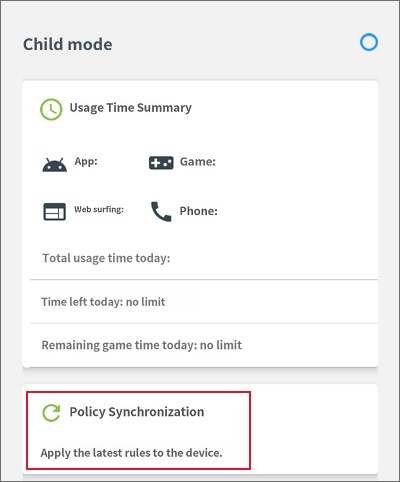
If you are using a metered data plan and have exhausted your monthly data allowance, the device cannot communicate with the Mobile Fence server, even if the data feature is turned on. In this case, you cannot check app usage history or receive changed rules. You must connect the device to Wi-Fi or resolve the data exhaustion issue. <Learn More>
• Related Item: Syncing your child's device from the parent's device

