뒤로
Launcher installation blocked
Last updated :
A launcher is an application that runs first when you turn on your mobile phone; it provides functions such as listing installed apps and customizing the look of your screen. You can find various apps by searching for "launcher" in the Play Store.
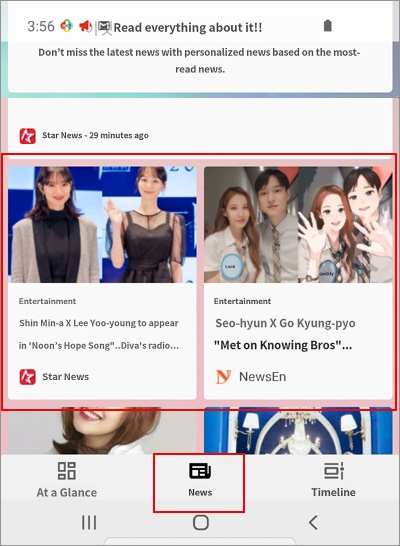
In addition to the basic launcher functions mentioned above, many modern launchers provide news articles and web browsing features. If these features are used to access the internet, Mobile Fence cannot monitor the websites your child visits, nor can it block harmful sites.
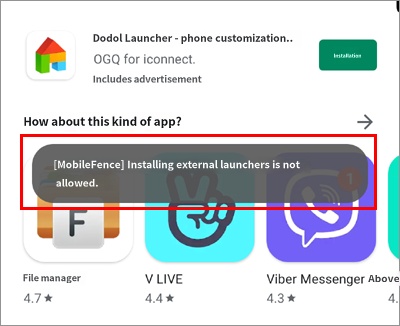
The "Block Launcher Installation" feature was created to block this route. If a launcher app other than the default one is installed, it will be deleted immediately. (Figure 2)
You can enable this feature as follows:
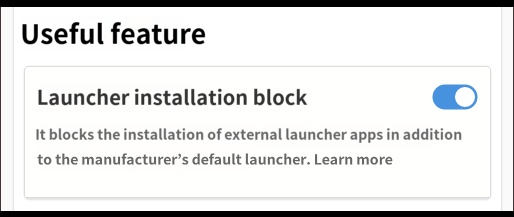
Child's Rule Settings → Useful Features → Block Launcher Installation → On
- This feature is implemented to detect and delete external launchers only for newly installed apps. In other words, if an external launcher is already installed, turning on this feature will not delete the already installed launcher. In this case, please delete the app manually first. Mobile Fence will automatically detect and delete any launchers installed thereafter.
- This feature requires the MDM agent to be activated. Please refer to this help guide on how to activate it.
- This feature works from Mobile Fence version 2.9.9.6 onwards. Please check if the version of Mobile Fence installed on your child's device is the latest, and update it if necessary.