뒤로
Disable remember email and password function on login
Last updated :
If "Remember Email Address/Password" is enabled, you can disable it as follows:
1. Open the Mobile Fence app.
2. On the login screen, uncheck the 'Remember Email Address (Password)' box and complete the login; this will disable the auto-login feature.
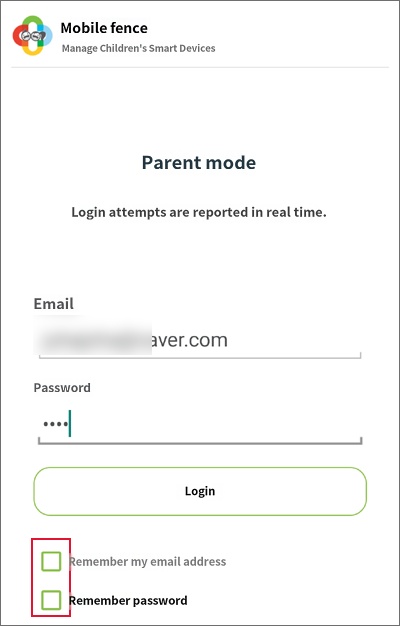
You can then verify that "Remember Email Address/Password" has been disabled.