
뒤로
How to delete Mobile Fence
Last updated :
On the device you wish to remove, go to Parent Mode → Log In → Device Settings → Click 'Uninstall App'
Switch to 'Parent Mode'
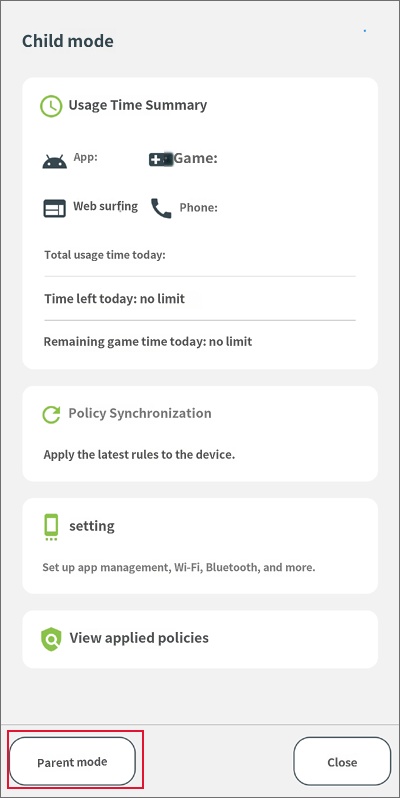
click 'Parent Mode' at the bottom left
Log In
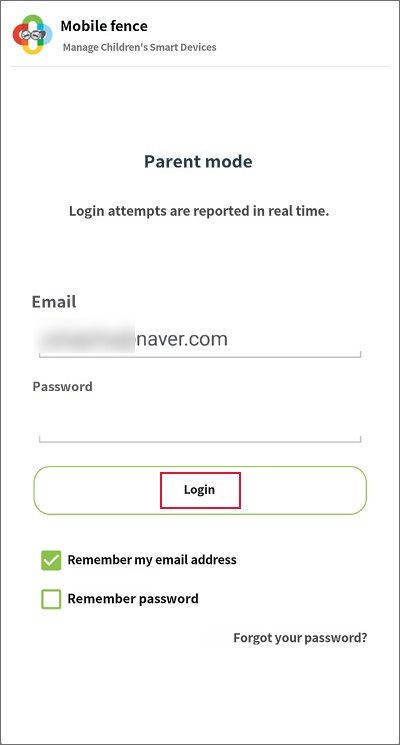
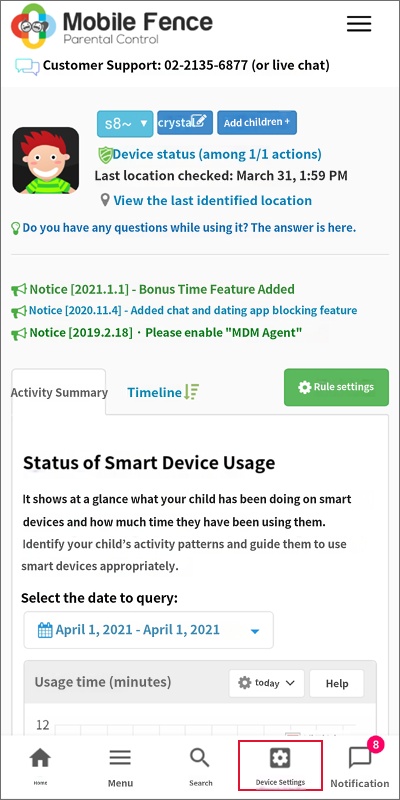
After logging in, click the 'Device Settings' button
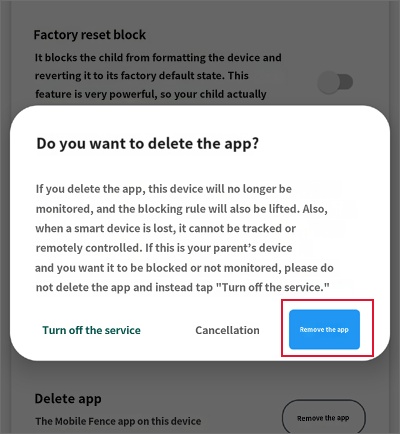
Delete App → Click the 'Uninstall App' button
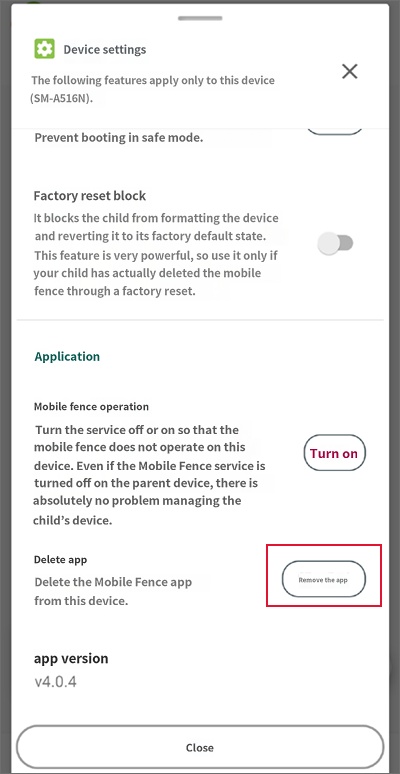
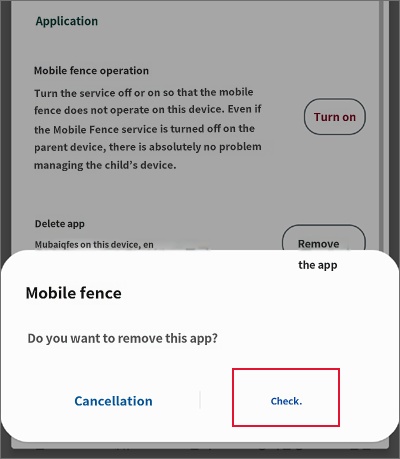
Click 'Uninstall App' in the pop-up notification
Click 'OK'
If you see the message "This device does not have management permissions" and cannot log in, it means the account being used is not the one originally used to install Mobile Fence on that device. You may have created another account; please try logging in with a different ID. If it still does not work, please contact Customer Support.

