뒤로
Turn on Mobile Fence service
Last updated :
There are two ways to turn on the Mobile Fence service: you can turn it on directly from the device where the service is turned off, or you can turn it on remotely. The methods are as follows.
1. Turning on remotely from the 'Smart Device' menu on the parent's device
1) Log in to Mobile Fence on the parent's device
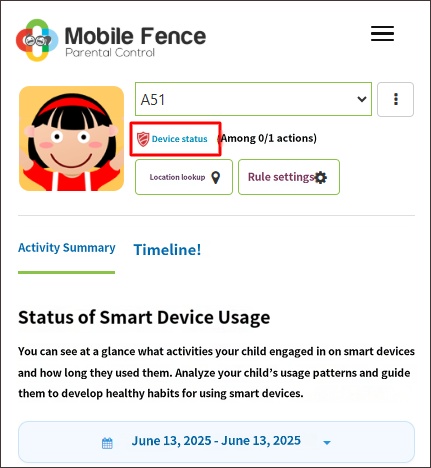
2) Click 'Device Status' under the child profile
3) Click 'Turn on Service' for the child profile
2) Click 'Device Status' under the child profile
3) Click 'Turn on Service' for the child profile
1) Log in to Mobile Fence on the parent's device
2) Click 'Device Status' under the child's profile name
3) Click 'Turn on Service'
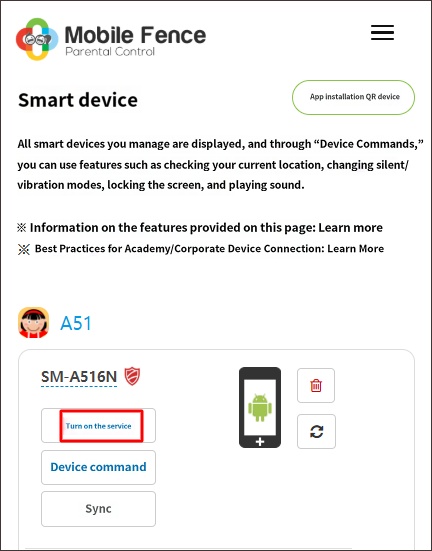
However, when you press the 'Turn off Service' button remotely, the child's device must be connected to internet data/Wi-Fi for the 'Turn off Service' command to be applied. If the device is not connected to the internet, you cannot turn the service on or off remotely.
2. Turning on the service directly from the child's device where the service is off
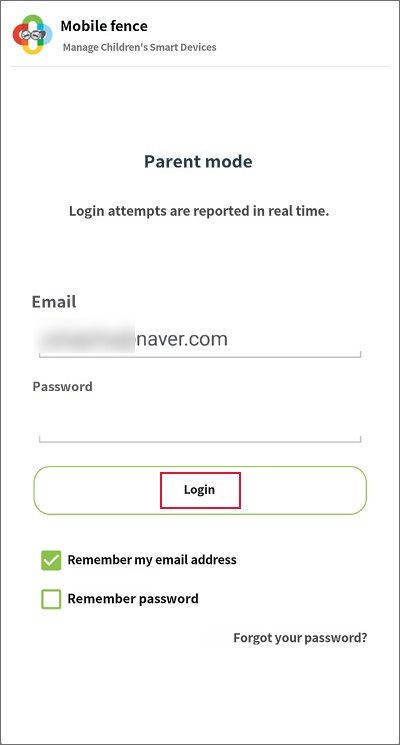
1) Log in to the Mobile Fence app in Parent Mode on the device you want to turn on
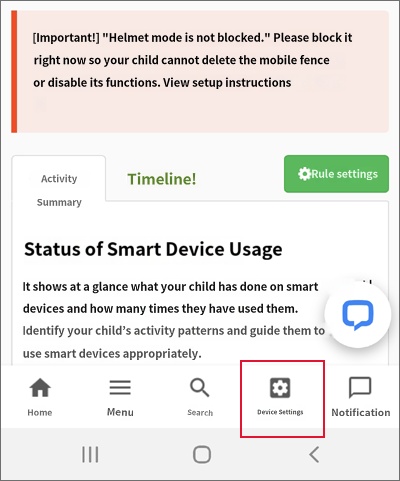
2) Click 'Device Settings'
2) Click 'Device Settings'
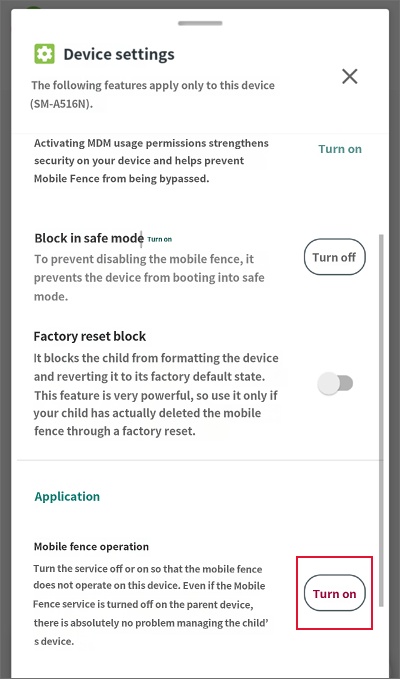
3) Click 'Turn On' for Mobile Fence Operation
1) Log in to the Mobile Fence app in Parent Mode
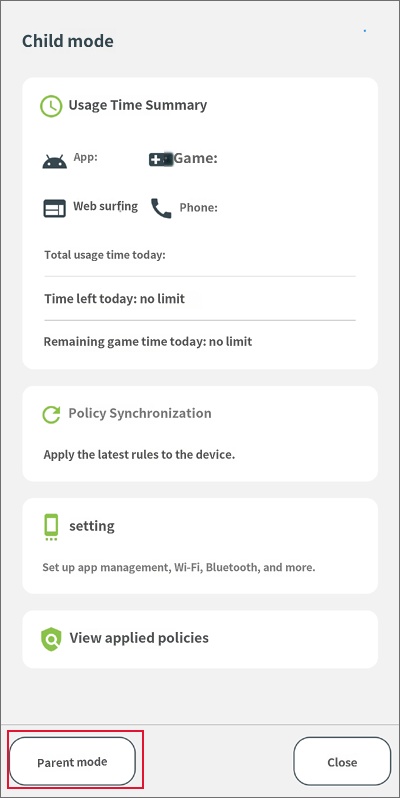
2) Click 'Device Settings'
3) Click 'Turn On' for Mobile Fence Operation
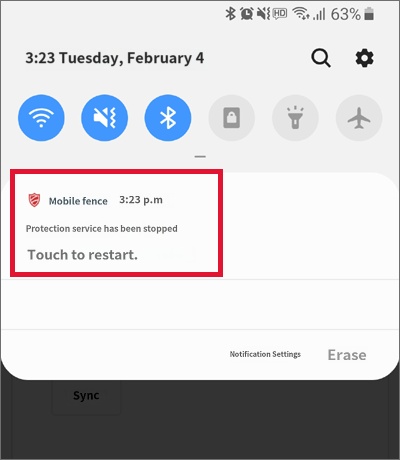
Alternatively, if a Mobile Fence notification appears in the device's top notification bar,
simply click the 'Protection service is stopped' notification to turn on the monitoring service.