
뒤로
How to set up automatic updates for Mobile Fence
Last updated :
You can configure installed applications, including Mobile Fence, to update automatically to ensure they are always kept up to date. Updated versions frequently include new features and patches for reported security issues.
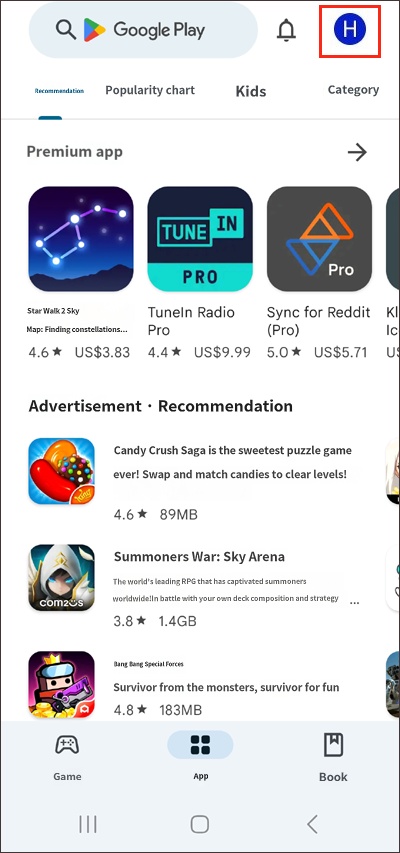
1. Open the Google Play Store app on the child's device → tap the profile icon in the top right → go to 'Settings'.
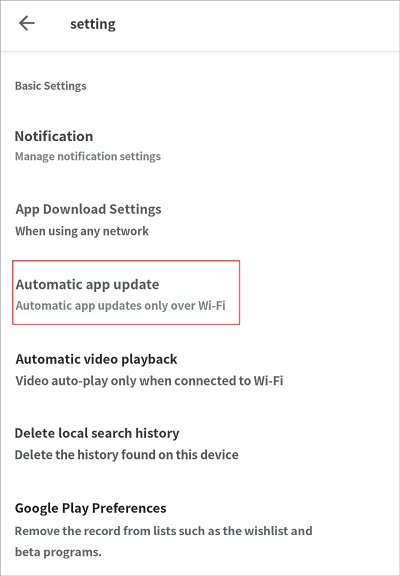
2. Network preferences → select 'Auto-update apps'.
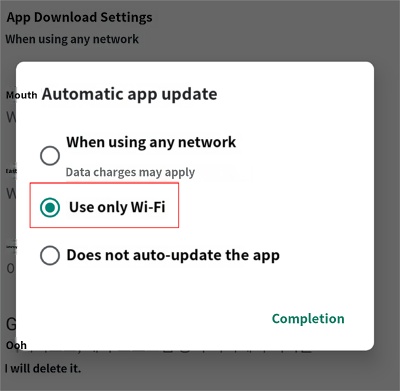
3. Select 'Over Wi-Fi only'.
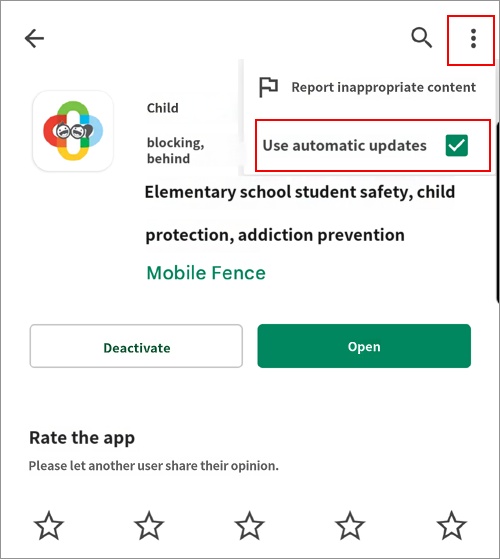
4. Play Store → Search for 'Mobile Fence' → tap the icon in the top right  → ensure "Enable auto update" is checked.
Additionally, you can prevent your child from changing these auto-update settings by enabling the "Block Play Store settings" feature in Mobile Fence.
[Rules → Apps → Labs → Turn on Block Play Store settings]
[Rules → Apps → Labs → Turn on Block Play Store settings]
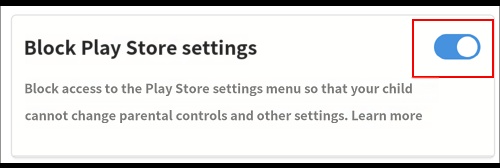
If the "Block Play Store" feature is turned on and the MDM agent is active, apps will not update automatically, even if auto-update settings are configured within the Play Store app. Please keep the "Block Play Store" feature turned off if automatic app updates are required.

