When battery consumption is high
Due to the nature of the Mobile Fence app, it must continuously monitor the phone in the background, which inevitably leads to an increase in battery consumption compared to before the app was used.
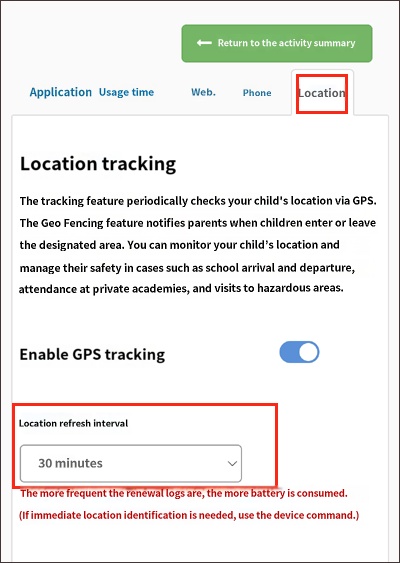
In particular, more frequent location update cycles for Mobile Fence's location tracking feature (GPS) can impact battery drain.
By default, the location update cycle is set to 2 hours upon initial installation of Mobile Fence. We recommend adjusting this setting to an interval that suits your needs, ranging from a minimum of 30 minutes to a maximum of 12 hours.
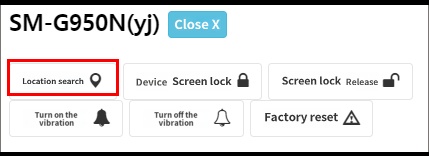
Even if the update cycle is set to 12 hours, you can search for the location in real-time whenever you want using the 'Locate Device' feature. This function only works when the device is powered on and properly connected to Wi-Fi or mobile data.
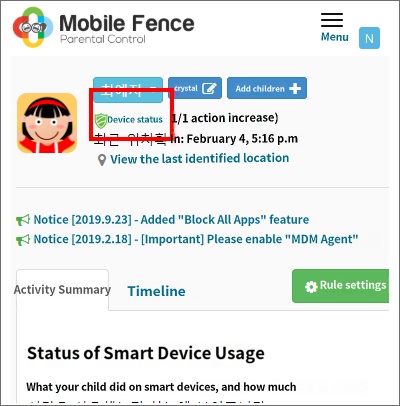
1. Rule Settings → Click 'Device Status' under the child's profile
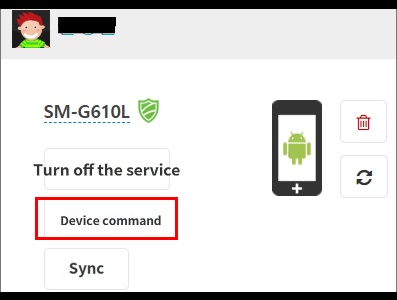
2. Device Commands
3. Locate Device (It takes approximately 1 minute to search, depending on the internet connection status)