
How to unlock by application rule (reason for app blocking)
When an app is blocked by Mobile Fence, a record is saved in the timeline along with the reason for the blockage. The following explains which settings to adjust to unblock the app based on the reason for the blockage.
1. Specific App Blocked
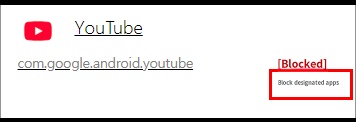
'Specific App Blocked' occurs when app execution is restricted. You can resolve this by going to [Rule Settings → Applications tab → YouTube → Allow Execution].
2. App Usage Time Exceeded
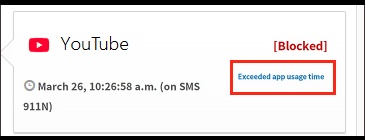
If an app is blocked due to 'App Usage Time Exceeded', please disable the individual app usage time limit or adjust the allowed time.
3. Device Usage Time / Game Time Exceeded
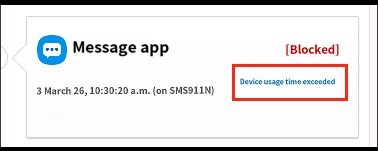
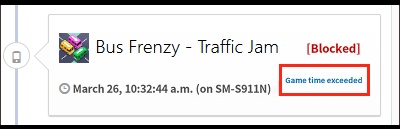
If the daily usage time is exceeded, please change the 'Daily Device/Game Usage Time'.
mobilefence.com/kms/7509427937
Alternatively, you can use the 'Bonus Time' feature to grant additional time.
4. Restricted Time Zone
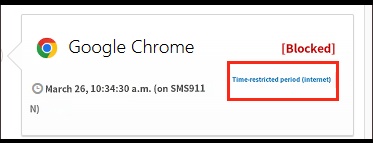
If an app is blocked due to 'Restricted Time Zone', please disable 'Restrict features during restricted time' or adjust the restricted time zone.
mobilefence.com/kms/7509427937
5. Block All Apps
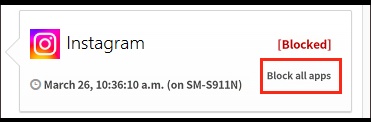
When "Block All Apps" is turned on, all apps are blocked except for those set to 'Always Allow' or those allowed during permitted time slots. Please turn off [Applications tab → Block by App Type → Block All Apps].
6. GPS Disabled
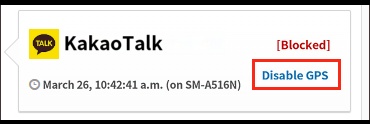
If GPS is turned off while the "Force GPS Activation" feature is enabled, app usage will be blocked, prompting the child to turn on GPS. At this time, a "GPS Disabled" log is recorded. Please refer to the link below to learn how to disable this feature.
7. No Internet Connection
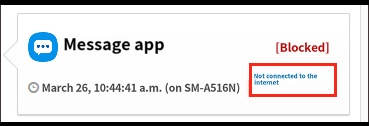
When the "Block all apps if no internet" feature is enabled, all app execution will be blocked if the device is not connected to the internet (WiFi/Data). Please turn off [Rule Settings → Applications → Useful Features → Block all apps if no internet].
8. Block Non-Chrome Browsers
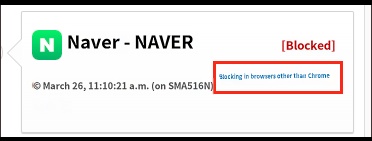
When the "Block Non-Chrome Browsers" feature is enabled, browsers other than Chrome, such as Naver, Daum, and Samsung Internet, are blocked. Since this is a required feature for blocking harmful content, please refer to the help guide below.
http://mobilefence.com/kms/98337029
9. Block All Websites
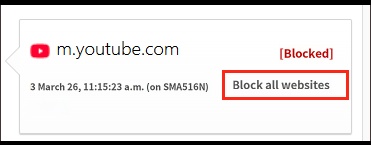
When the "Block All Websites" feature is enabled, website access through the Chrome app is blocked. Please refer to the link below to learn how to block all websites while allowing access to specific URLs.
10. Block Play Store
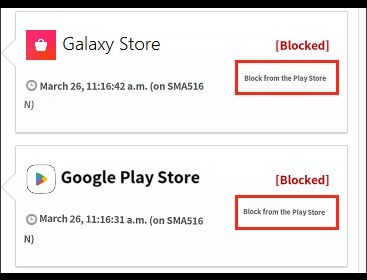
When the "Block Play Store" feature is enabled, access to marketplaces such as Play Store, One Store, and Galaxy Store is blocked. If you need to install an app on your child's device, please set it to [Rule Settings → Block by App Type → Block Play Store → Off].
11. In-App Browsing Blocked (KakaoTalk)
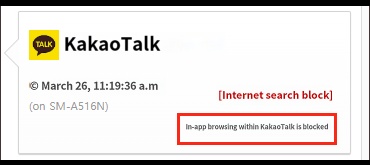
Using the internet through the shop (#) search in KakaoTalk may result in ineffective monitoring of visited sites or failure to block harmful sites. To prevent this, Mobile Fence provides a "Block Internet Search in KakaoTalk" feature; when this is enabled, internet usage within KakaoTalk is blocked. Please refer to the link below for more details.
http://mobilefence.com/kms/84610122
12. Block Browsers
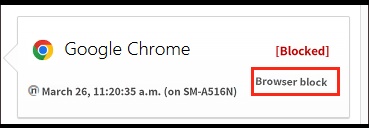
When the "Block Browsers" feature is enabled, use of browsers such as Naver, Daum, Samsung Internet, and Chrome is blocked.
If you need to allow browser usage, please set it to [Rule Settings → Applications → Block by App Type → Block Browsers → Off].
13. Chrome Home Shortcut
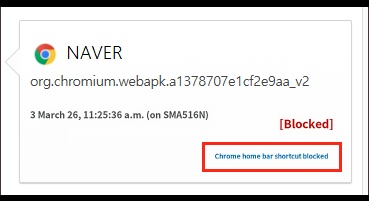
When using the Chrome Home shortcut, monitoring of visited websites and blocking of harmful sites may not function correctly. To address this issue, execution of the Home shortcut is blocked when the "Block Non-Chrome Browsers" feature is enabled.
14. Block Settings
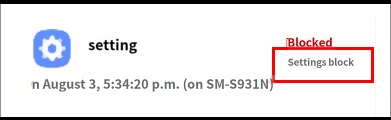
When 'Block Settings' is enabled, accessing the device's settings menu is blocked.
To disable this, please set it to [Rule Settings → Applications → System Block → Block Settings → Off].

