
뒤로
How to install Wi-Fi Manager
Last updated :
If Wi-Fi connection is difficult due to restricted settings, this guide explains how to set up Wi-Fi using a separate app. "Restricted Settings" is an essential option to prevent the neutralization of Mobile Fence.
Please follow the steps below on your child's device.
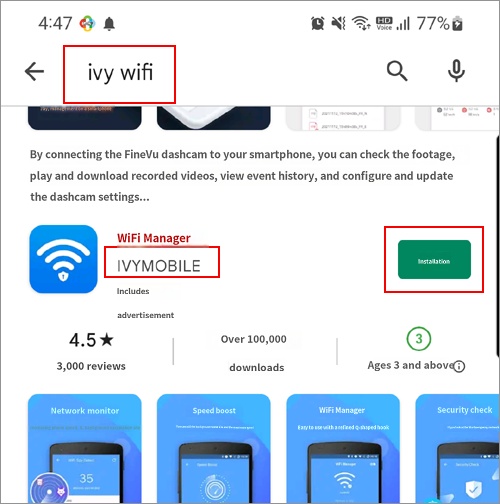
1) Launch the Play Store app and search for "IVY WIFI". (Please ensure the developer is IVYMOBILE.)
If it cannot be found in the search, please refer to the instructions at the bottom of this help page to install it.
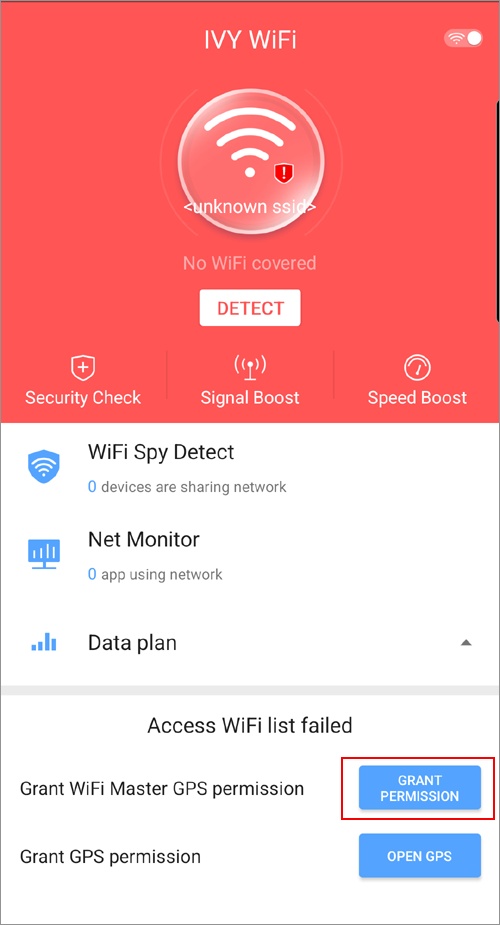
2) After launching the app, select the "GRANT PERMISSION" button.
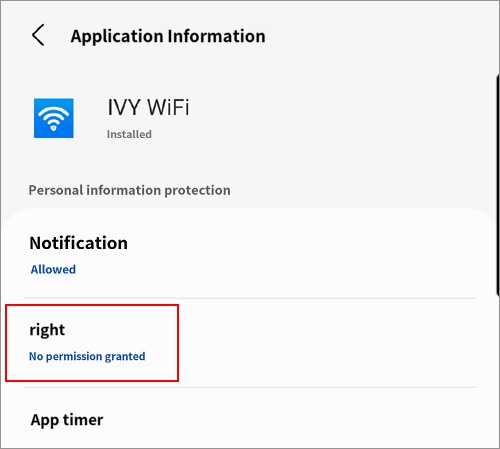
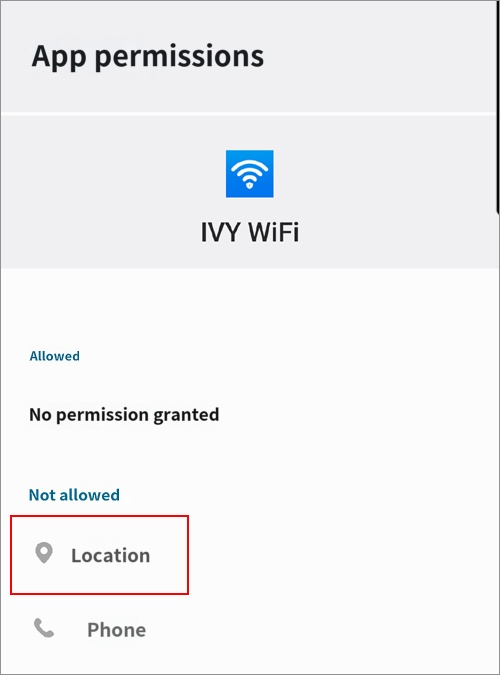
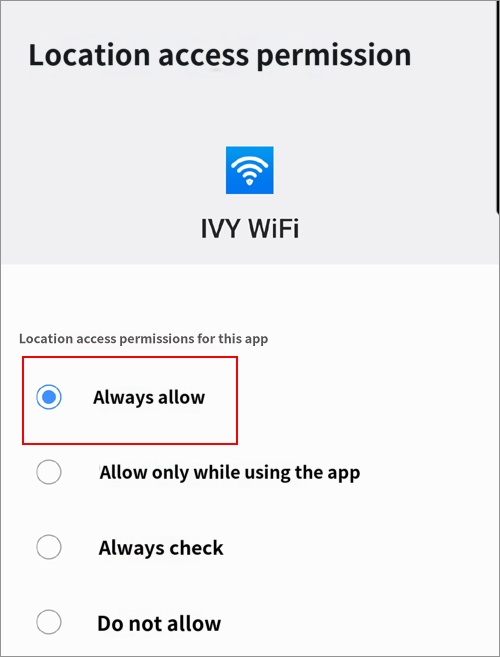
3) Grant location permission. [Permissions → Location → Allow all the time]
4) Close and relaunch the "IVY WIFI" app, and a list of available Wi-Fi networks will appear. Select the desired network to connect.
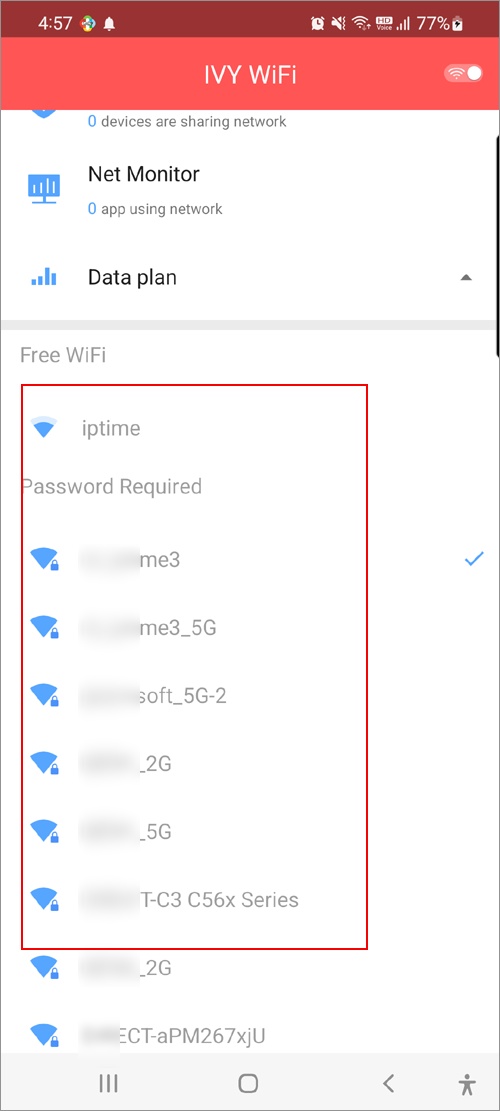
Whenever you need to connect to a new Wi-Fi network in the future, please launch this "Wi-Fi Manager" app to connect. If necessary, set this app to "Allow all the time" to prevent it from being blocked due to usage time limits.
If you are unable to search for or install the app from the Play Store, please install IVY WIFI by following the steps below.
1. Send the link below to your child's device via SMS or email.
https://bit.ly/3LKJ3Yt
2. Temporarily turn off the Mobile Fence service.
mobilefence.com/kms/93745887
3. Copy the link on your child's device, paste it into the address bar of the Chrome browser, and proceed with the installation.
• If Google Family Link is installed on your child's device and APK installation is blocked, the app installation may fail. Please allow this in the Family Link settings.
mobilefence.com/kms/80461294
1. Send the link below to your child's device via SMS or email.
https://bit.ly/3LKJ3Yt
2. Temporarily turn off the Mobile Fence service.
mobilefence.com/kms/93745887
3. Copy the link on your child's device, paste it into the address bar of the Chrome browser, and proceed with the installation.
• If Google Family Link is installed on your child's device and APK installation is blocked, the app installation may fail. Please allow this in the Family Link settings.
mobilefence.com/kms/80461294

