뒤로
How to send a remote command to uninstall Mobile Fence
Last updated :
How to send a remote command to uninstall Mobile Fence
1) Log in to Mobile Fence
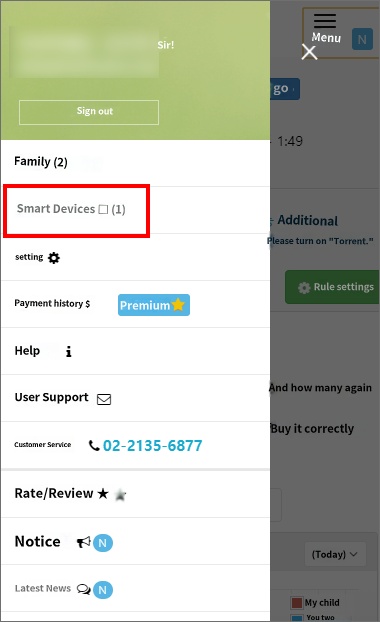
2) Menu at the bottom → 'Smart Devices'
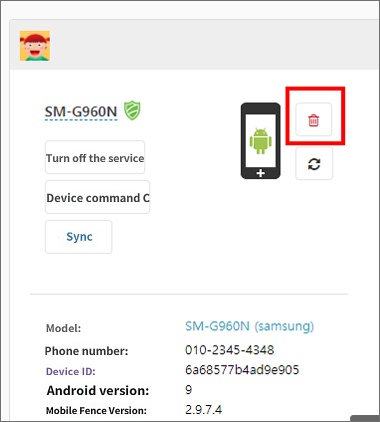
3) Click the 'red trash can' icon next to the device icon in the child's profile
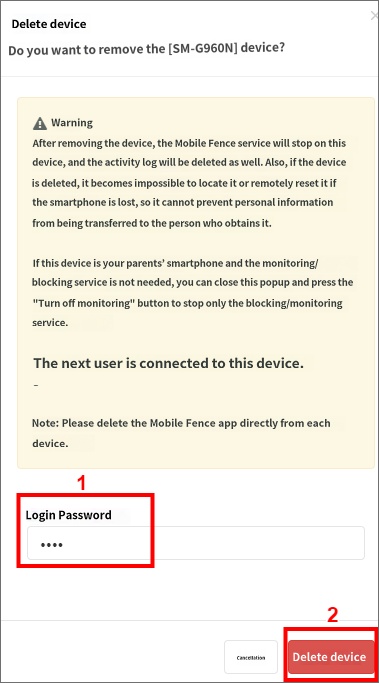
4) Enter your login password and click 'Delete Device'
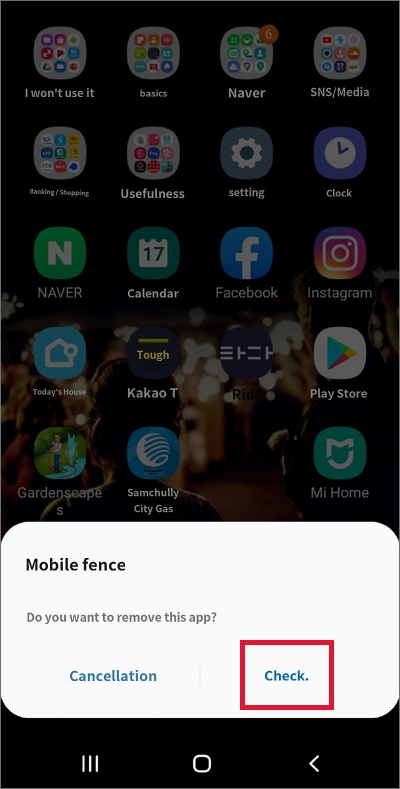
5) Click 'OK' on the 'Do you want to uninstall this app?' notification pop-up
2) Menu at the bottom → 'Smart Devices'
3) Click the 'red trash can' icon next to the device icon in the child's profile
4) Enter your login password and click 'Delete Device'
5) Click 'OK' on the 'Do you want to uninstall this app?' notification pop-up
Note: This method only works if the child's device is properly connected to data/Wi-Fi. If attempted while offline, only the device information registered in Mobile Fence will be deleted, and the app will not be uninstalled.
1) Log in to Mobile Fence
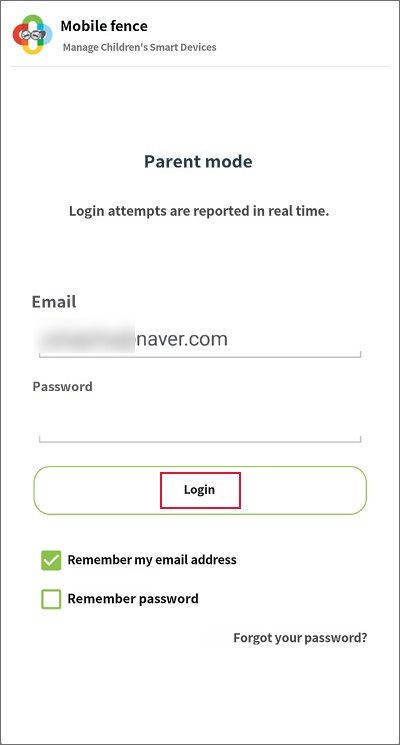
2) Menu at the bottom → 'Smart Devices'
3) Click the 'red trash can' button next to the device icon in the child's profile
4) Enter your login password and click 'Delete Device'
5) Click 'OK' on the 'Do you want to uninstall this app?' notification pop-up