뒤로
How to set up YouTube content filtering (restricted mode)
Last updated :
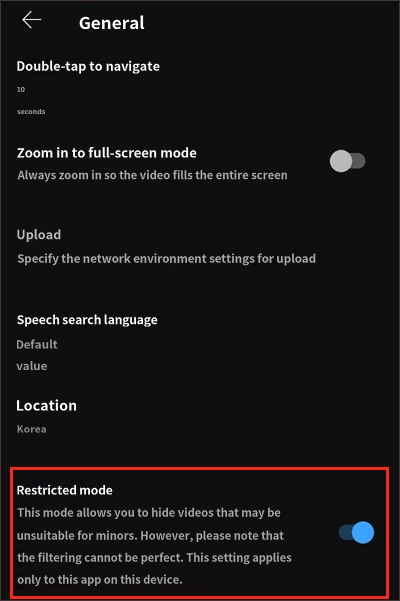
YouTube settings include an option called "Restricted Mode." When enabled, Google filters out potentially harmful content, preventing videos that are inappropriate for children from being displayed.
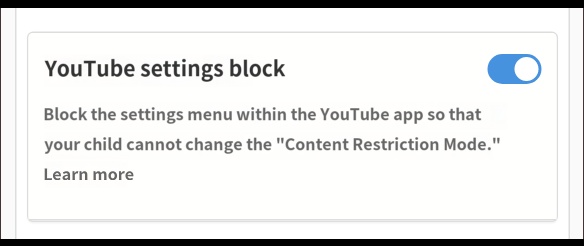
It is important to prevent your child from tampering with this setting to ensure the content filter remains active. You can prevent changes to these settings by enabling the "Block YouTube Settings" feature provided by Mobile Fence.
How to set up YouTube content filtering
After launching the YouTube app on your child's device:
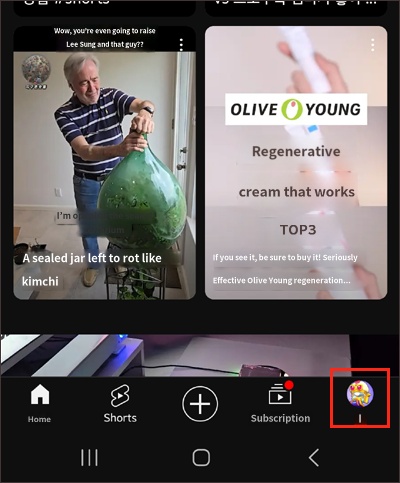
1) Select the profile icon in the bottom right
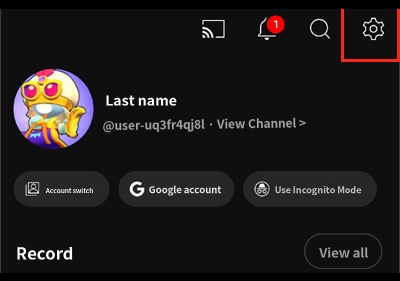
2) Settings → General
3) Restricted Mode → Turn on
4) Within Mobile Fence, go to Rules → Labs → Block YouTube Settings → Turn on
1) Select the profile icon in the bottom right
2) Settings → General
3) Restricted Mode → Turn on
4) Within Mobile Fence, go to Rules → Labs → Block YouTube Settings → Turn on
1) Select the profile icon in the bottom right
2) Settings → General
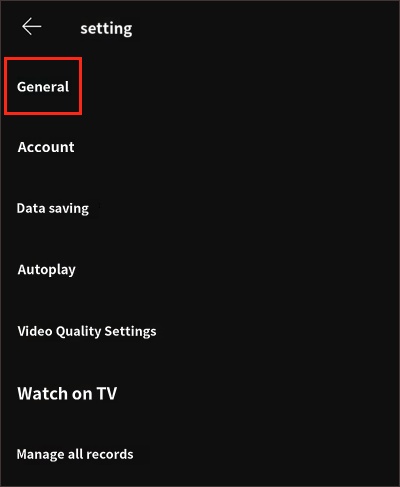
3) Restricted Mode → Turn on
4) Rules → Labs → Block YouTube Settings → Turn on