
EC-1

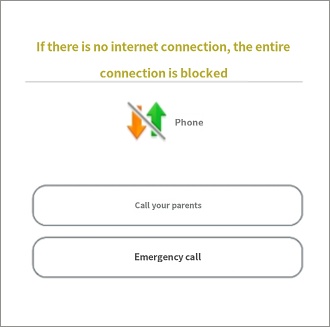
All connections are blocked when there is no internet access.  

Last updated :

The 'Block all apps when offline' feature is provided to facilitate real-time location tracking and synchronization of your child's device by encouraging them to keep their data or Wi-Fi connection active.


Rule Settings → Apps → Useful Features → Block all apps when offline
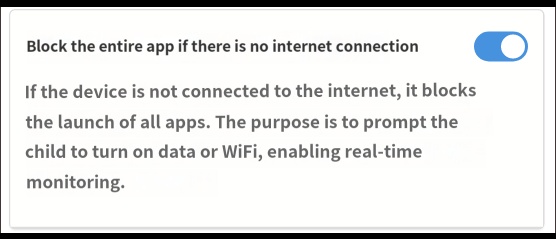
 

When this feature is enabled, if your child turns off both Wi-Fi and mobile data, the blocking screen shown below will appear, and the use of all apps will be restricted. Phone calls to parents and emergency calls are still possible.


If your child is in a situation where they cannot immediately connect to data or Wi-Fi, you can log in to the Mobile Fence app to manually stop the monitoring service. The system is designed to allow login using the last successful login information, even without an active data connection.


Contact Us

Before inquiring...Have you been looking for this answer?
โ€ข How to block child disable Mobile Fence app?
โ€ข I want to know how to uninstall MobileFence app.
โ€ข Does a parentsโ€™ device get blocked?
โ€ข How to see the contents of Text?

An error has occurred while registering your question.
Your question has been successfully registered.
We will get back to you within 24 hours on weekdays. Thank you!

By providing related screens, we can process your inquiry more precisely and quickly.

Contact Us

Before inquiring...Have you been looking for this answer?
โ€ข How to block child disable Mobile Fence app?
โ€ข I want to know how to uninstall MobileFence app.
โ€ข Does a parentsโ€™ device get blocked?
โ€ข How to see the contents of Text?

An error has occurred while registering your question.
Your question has been successfully registered.
We will get back to you within 24 hours on weekdays. Thank you!

By providing related screens, we can process your inquiry more precisely and quickly.