뒤로
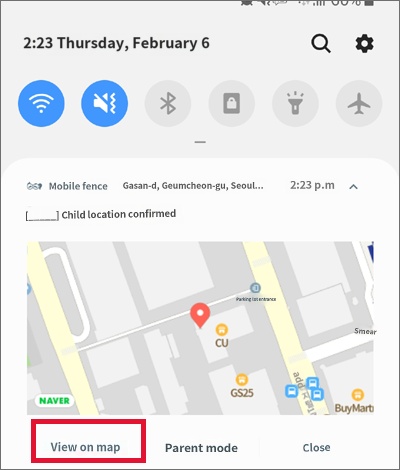
When the location does not appear on the map after clicking "View on map" in the child location notification
Last updated :
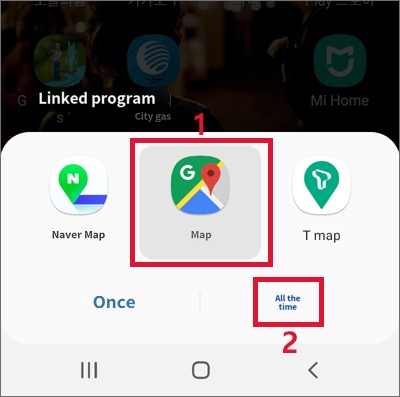
If you cannot see the location information when clicking on your child's location notification, it is because a map app other than 'Google Maps' is set as the default.
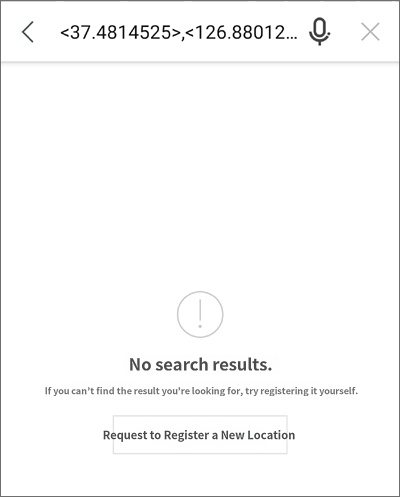
Follow the steps below to change the settings so that the map displays correctly when you click the location notification.
1) Go to 'Settings' on your device and tap 'Apps'
2) Tap the incorrectly set map app (e.g., KakaoMap, OneNavi, etc.)
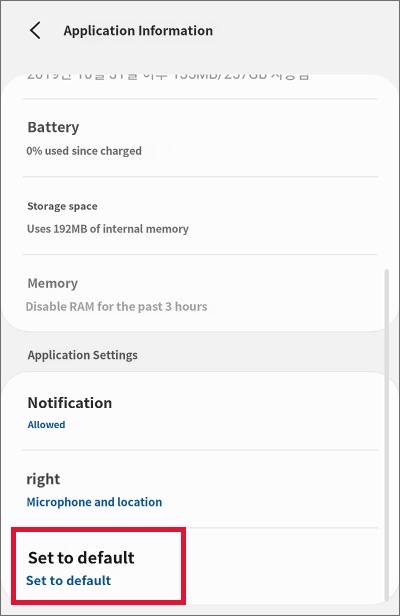
3) Tap 'Set as default' at the bottom of the 'App info' settings
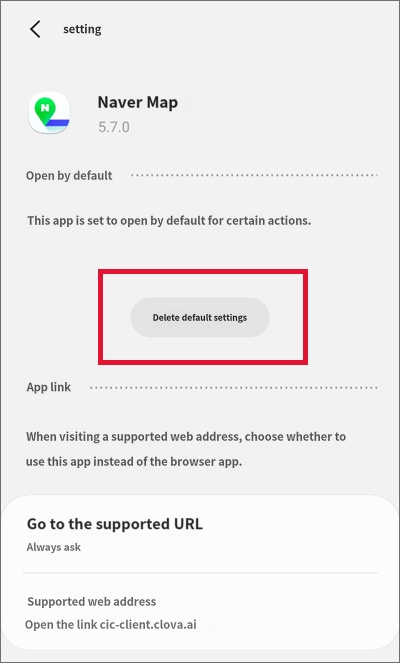
4) Tap the 'Clear defaults' button
5) After that, select Google Maps as the default map app
2) Tap the incorrectly set map app (e.g., KakaoMap, OneNavi, etc.)
3) Tap 'Set as default' at the bottom of the 'App info' settings
4) Tap the 'Clear defaults' button
5) After that, select Google Maps as the default map app
1) Go to 'Settings' on your device and tap 'Apps'

2) Tap the incorrectly set map app (e.g., Naver Map, KakaoMap, Tmap, etc.)
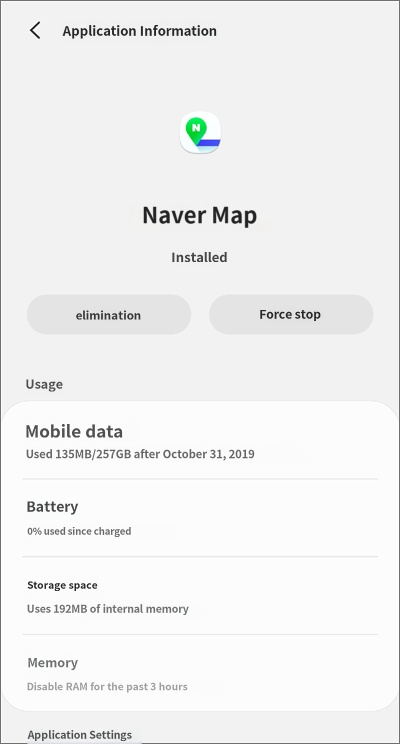
3) Tap 'Set as default' at the bottom of the 'App info' settings
4) Click 'Clear defaults'
5) After that, select Google Maps as the default map app