
뒤로
If Mobile Fence does not appear during the steps to enable device connection accessibility
Last updated :
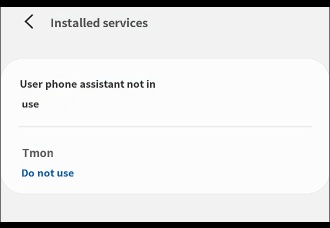
If you cannot find 'Mobile Fence' under the 'Installed services' menu during the 'Enable Enhanced Monitoring (Accessibility)' step of the Mobile Fence device connection process, restarting your device may resolve the issue.
Solution
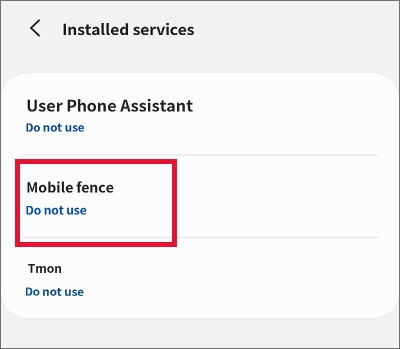
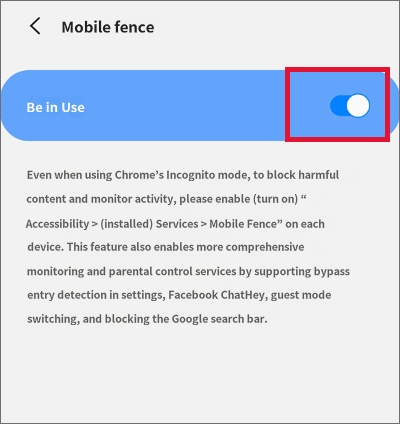
Delete the Mobile Fence app, turn your device off and back on, and then check if Mobile Fence appears under [Settings → Accessibility → Installed services] on your device and set it to "On". Afterward, open the Mobile Fence app and continue with the device connection steps.
If the issue is not resolved by restarting the device, you will need to perform a factory reset of your device to fix it.

