
When the license exceeded pop-up appears while connecting the device
Depending on the subscription plan purchased, there is a limit to the number of devices that can be connected to the Mobile Fence server. The number of devices is calculated based only on the devices activated in the "Smart Devices" menu.
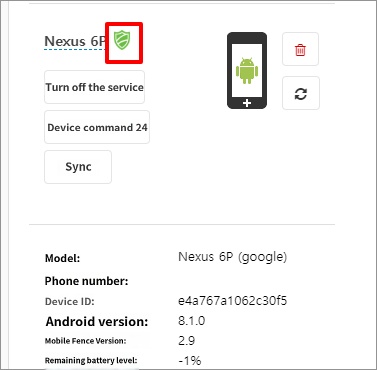
In the case of the Family3 plan, only up to 3 devices can be connected. If you exceed this limit when connecting a device, a "Premium Upgrade" popup will appear.
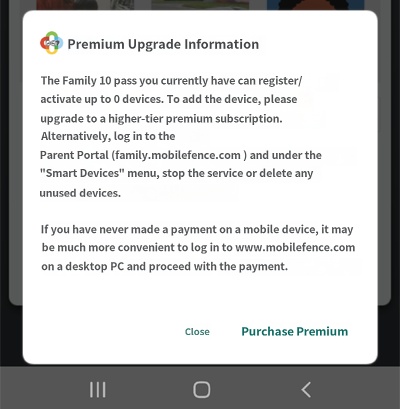
In most cases, rather than needing an actual premium upgrade to connect additional devices, one of the following situations is usually the cause.
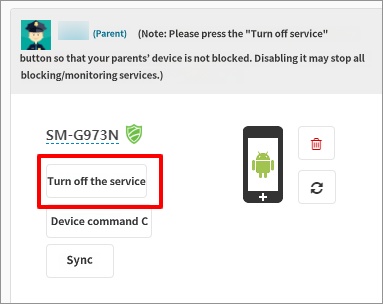
1) Parent's device is activated
There is no issue with turning off the Mobile Fence service on a parent's device, as there is usually no need to monitor or block the usage of the parent's own device. You can free up a slot by turning off the service on the parent's device.
2) Old device information remains
If you have been using Mobile Fence for several years, you may have changed devices in the meantime. In this case, information from previous devices may remain active on the Mobile Fence server. You can free up a slot by checking for and deleting these. You can typically identify unused devices by looking at the registration date or the 'Last Check-in' information.
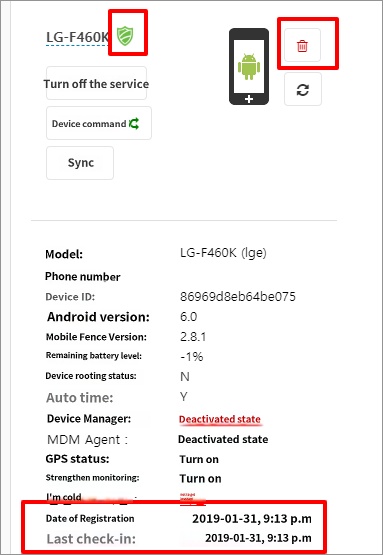
based on the 'Last Check-in' date and should be deleted to free up space.

