
뒤로
When a keyboard app provides in-app browsing.
Last updated :
If a keyboard app downloaded separately from the App Store (e.g., Naver Smart Board, Design Keyboard, Theme Keyboard, Dodol Keyboard, etc.) provides an internet search function in addition to the default keyboard provided by the device, website monitoring and blocking functions will not operate, and it can be used even during restricted time periods. For this reason, keyboard apps that provide internet search functions must be blocked. The setup method is as follows.
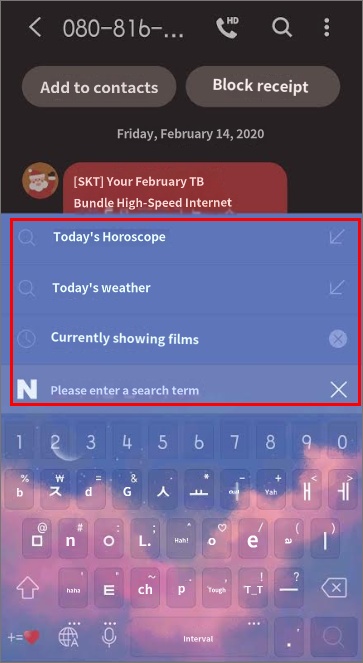
How to block keyboard apps
1. Rule Settings → Apps tab → Uncheck 'View entertainment/social apps only'.
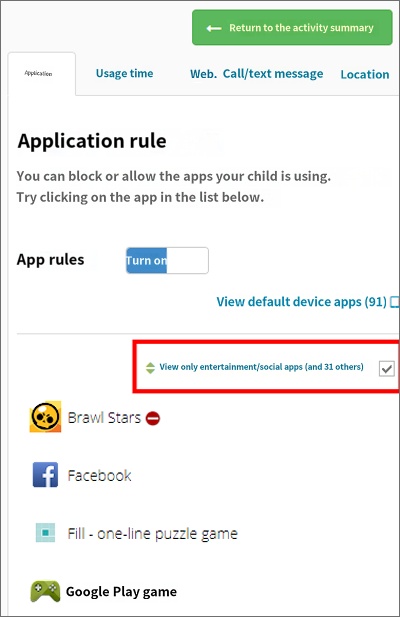
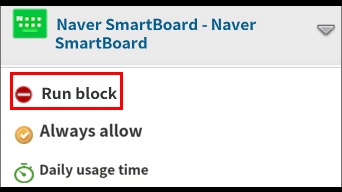
2. Find the problematic keyboard app, click it, and set it to 'Block execution'.
3. Find and delete the corresponding keyboard app on your child's device.
Even if your child reinstalls this keyboard app later, it will not be possible to use it because it is already set to be blocked from execution, preventing the initialization of the keyboard app.
If you wish to block the installation of external keyboards entirely in the future, you can use the "Block external keyboard installation" feature. Please refer to the link below.
mobilefence.com/kms/47018907
mobilefence.com/kms/47018907

