
뒤로
How to update LG firmware
Last updated :
There are two ways to update the firmware on LG devices as follows:
1. When updates are supported in the device settings app
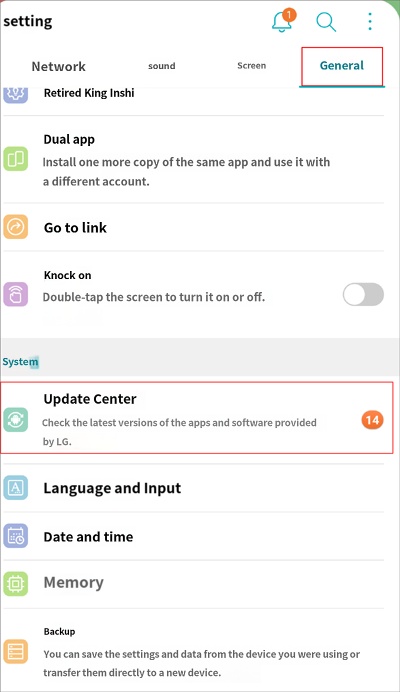
1) Settings → General → Update Center
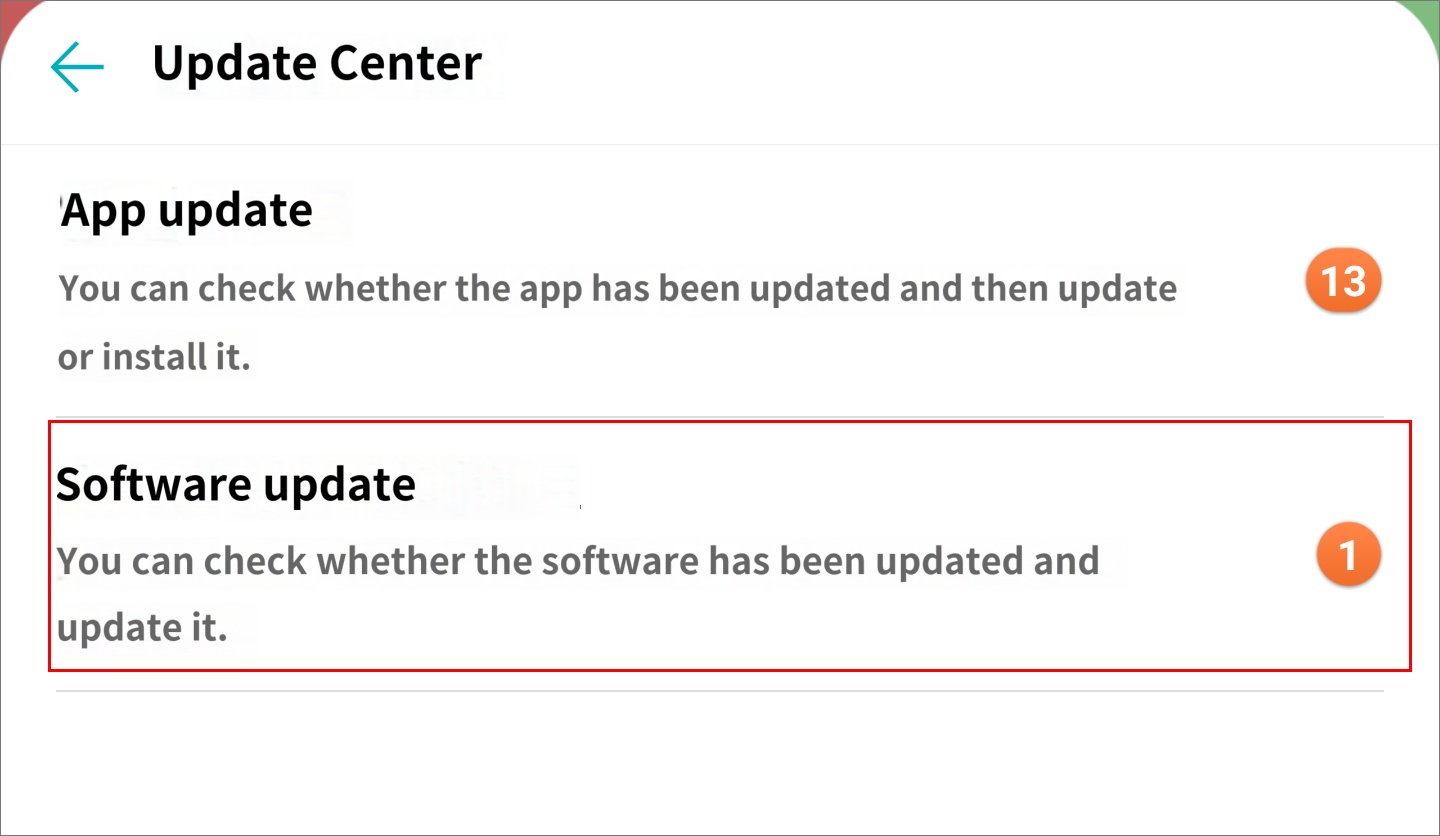
2) Software Update
2. When updates are not supported in the device settings app
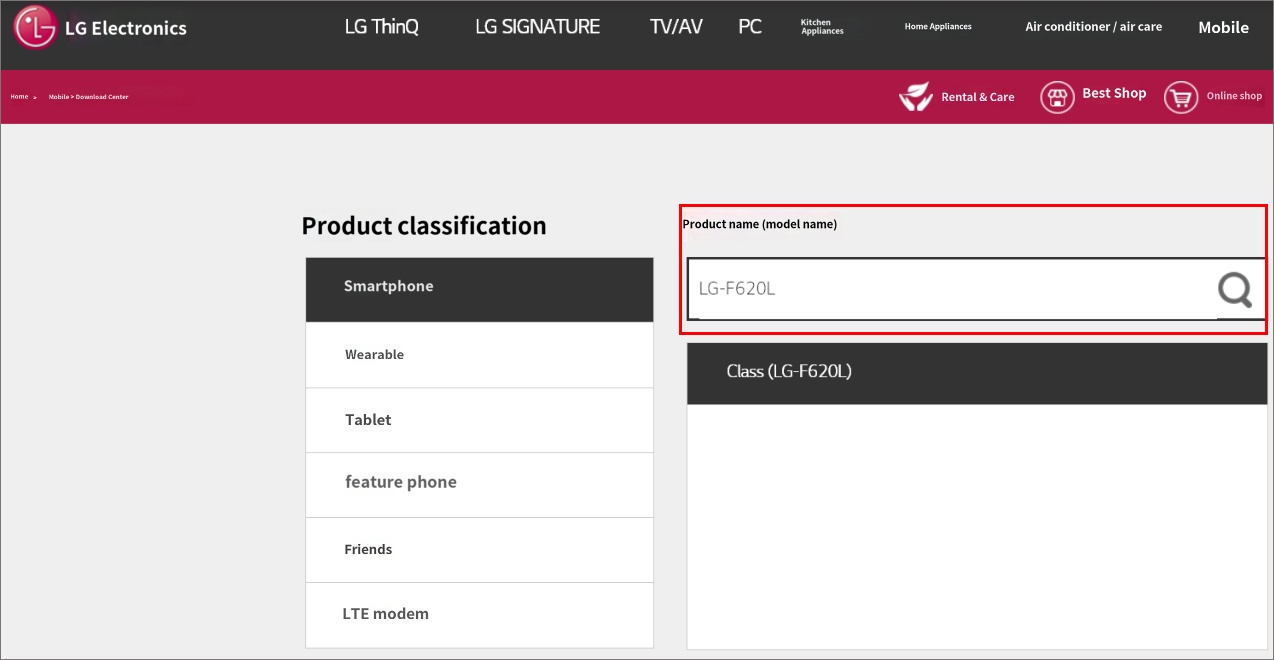
1) Access https://www.lge.co.kr/lgekor/download-center/downloadCenterList.do from your PC.
2) Search for the model name of the child's device.
3) Connect the smart device to your PC using a USB cable to proceed with the update.
However, if the 'MDM Agent' function is enabled on the child's device, software updates are not possible. Please temporarily stop the Mobile Fence monitoring service, proceed with the update, and then turn the service back on.
Turning off the service
Turning off the service

